



Lighting control software, made for the way you work.
From a single DJ rig to a city skyline — ENTTEC software gives you the tools to design, sync and run shows that move with your music or your venue.
Choose the software that fits the job
Three ENTTEC software products. Here’s how to know which one is yours.

EMU
A full lighting desk on your laptop — live, MIDI-mappable, in your DAW.
Run your light show without a lighting operator. Plug in audio for sound-to-light, map MIDI controllers to anything, or drop the VST3 plugin into Ableton or Logic so cues run on your music’s timeline.
- Audio-reactive + one-click MIDI learn
- VST3 / AU plugin in your DAW
- 1 universe free, up to 32 universes paid
- Free 1-year Premium with the EMU Hardware Interface

ELM
2D and 3D pixel mapping at any scale.
Treat every LED as a canvas. Paint with video, generative effects, NDI feeds or pixel timelines — output up to 8,192 universes from a single show file.
- 2D and 3D pixel mapping
- 100+ generative effects
- Schedule, live-play, or trigger via OSC, HTTP or DMX
- Free licence with select pixel controllers

S-PLAY Programmer
Bake hours of content in seconds. Deploy to S-PLAY SP1-1.
A free desktop editor for the S-PLAY SP1-1. Author offline, then auto-discover and deploy to up to 250 devices on your network — or pull a show off any device, edit, and redeploy.
Side by side
A quick check across all three.
|
EMU
Sound-to-light
|
ELM
Pixel mapping
|
S-PLAY Programmer
Offline editor
|
|
|---|---|---|---|
| Best for | Musicians, DJs, producers | Designers, integrators | S-PLAY SP1-1 users |
| Mode | Real-time | Designed | Authored offline |
| How shows are triggered | Live audio + MIDI + VST3 in DAW | Timelines, schedules, OSC / HTTP / DMX triggers, live feeds | Offline build → hardware playback |
| Output | 1–32 universes DMX (via interface) | Up to 8,192 universes Art-Net / sACN / KiNet | To S-PLAY SP1-1 over network |
| Skill level | Plug & play | Designer / advanced | Familiar with S-PLAY |
| Hardware needed | DMX interface (EMU Hardware Interface recommended) | Any DMX interface or network output | S-PLAY SP1-1 to deploy |
| Platforms | macOS · Windows | Windows only | macOS · Windows |
| Licensing | Free Paid licence unlocks all 32 universes EMU Hardware Interface includes 1 year of Premium (32U) | Free Paid tiers stack on the same machine — buy more anytime, up to 8,192 universes. Free licence bundled with select pixel controllers | Free No licence required — needs an S-PLAY SP1-1 to deploy |
| Learn more → | Learn more → | Learn more → |
Still not sure?
Match your job to the right tool — in one click.
Lighting software for musicians and DJs
EMU is a full lighting desk on your laptop — built so musicians can run their own light show without hiring a lighting operator. Plug in your audio and EMU drives your fixtures live. Map MIDI controllers, foot pedals or knobs to anything in the software with one click. And when you’re producing, drop the VST3 plugin straight into Ableton or Logic so your lighting cues run on the same timeline as your music.
The free version runs one universe — enough for a bedroom rig or to test EMU on your fixtures. A perpetual licence unlocks all 32 universes, MIDI bank/program triggers, MIDI clock sync, full VST3 fader mapping, and the Cresit cloud fixture library. Buying the EMU Hardware Interface? Your first year of Premium is included — no separate purchase.
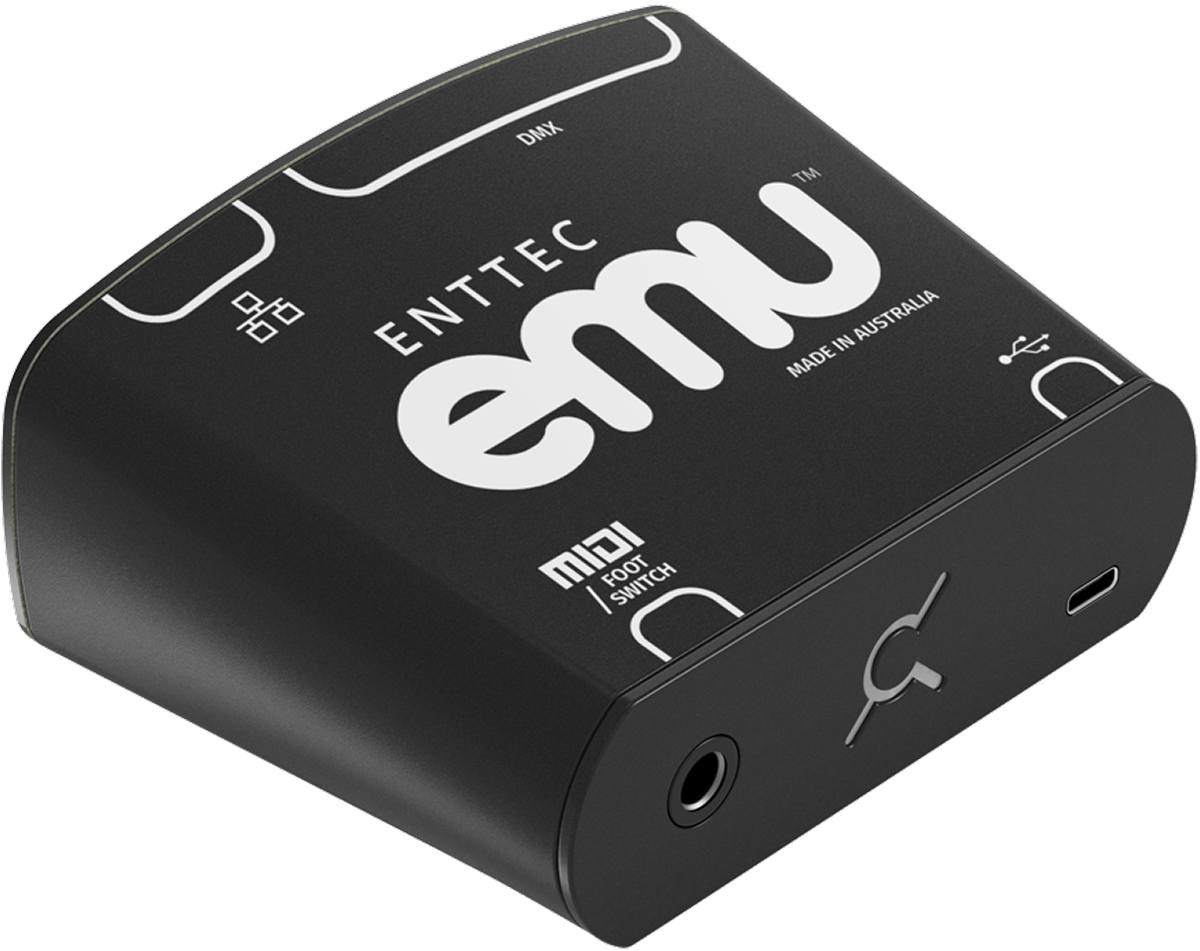
Get EMU Premium with the EMU Hardware Interface
The USB-C DMX interface engineered specifically for EMU ships with a 12-month Premium licence at no extra cost — all 32 universes unlocked, plus MIDI clock sync, full VST3 fader mapping and the Cresit cloud fixture library. Trigger cues hands-free with a footswitch or MIDI pedal.
How musicians use EMU
Meet Jack Murray, director of Recording Arts & Commercial Music at the Chicago Academy for the Arts. By integrating his performance with EMU, Jack focuses on playing music while his lighting rig runs perfectly in sync — creating an immersive experience for his audience.
Jack reached out to us, not the other way round — the words and the music are all his.
2D and 3D pixel mapping at any scale
Every great LED installation begins with great mapping. ELM is ENTTEC’s 2D and 3D pixel-mapping software — built for designers and integrators working at scale.
Combine raster-based media with vector-based, scalable objects to represent your LEDs in 2D or 3D space. Whether your fixtures are in a line, a curve, a closed loop or a volumetric structure, stretch, resize and reposition them on-screen to match the real world.
Tap into 100+ generative effects, or bring in your own images, video files, NDI feeds, Spout streams or live audio. Output up to 8,192 universes of Art-Net, sACN or KiNet from a single show file. Schedule playback, run live, or trigger remotely from a lighting console, OSC, HTTP or DMX. Stackable licences let you grow the universe count on the same machine. Available in English, French and Chinese.
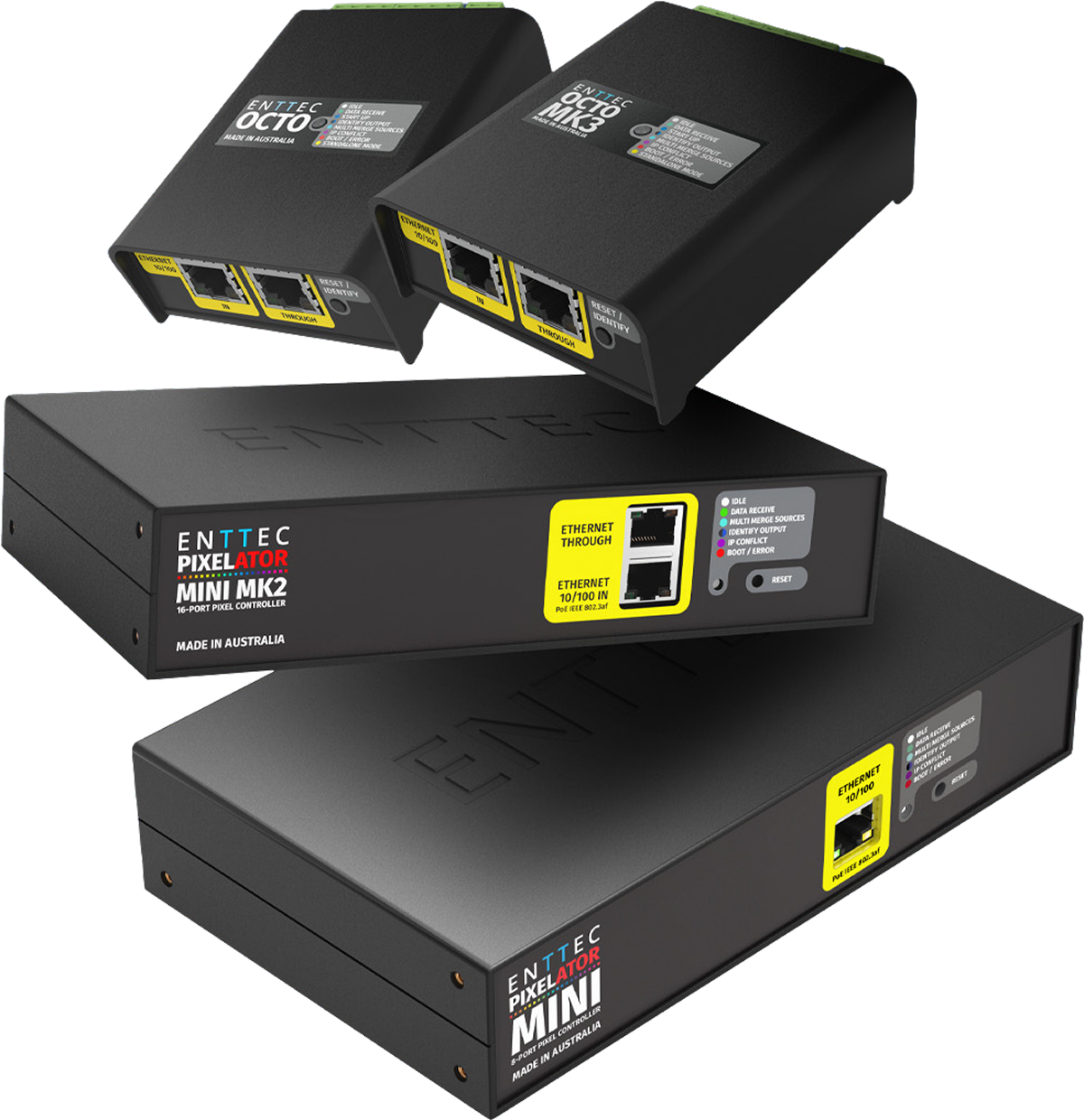
Get ELM software free with select pixel controllers
Pick up one of these ENTTEC pixel controllers and your ELM 2024 licence is included — universes stack on top of any existing licence. Eligible: Pixelator Mini Mk2 (16U), Pixelator Mini (16U), OCTO Mk3 (16U) and OCTO (8U).
Already an ELM user? Find the right version
While ELM 2024 remains available for promo code redemptions and legacy transfers, ELM 2025 is where new features land. Use the guide below to find the right release for your license.
| Bought a license before October 2024? | → Use ELM 2024 |
| Bought a license after October 2024? | → Use ELM 2025 |
| Got a free license promo code with your pixel controller? | → Use ELM 2024 |
| Transferring a license from before October 2024? | → Use ELM 2024 |
| Ready to unlock exclusive ELM 2025 features? | → Get ELM 2025 |
| Have ELM 2024 and want the new features of ELM 2025? | → Get ELM 2025 |
Note: ELM 2025 licenses work with both versions. ELM 2025 software requires a 2025 license — older licenses and free promo codes will not work with ELM 2025 software.
“After reviewing a huge amount of options we found ELM to be the most intuitive and reliable application for the needs. It’s clearly been designed by a team of people with a deep understanding of how a piece of software like this is actually used in the field. For a 6-week run, every night of the week during the British winter, it was rock solid.”
A free desktop editor for the S-PLAY SP1-1
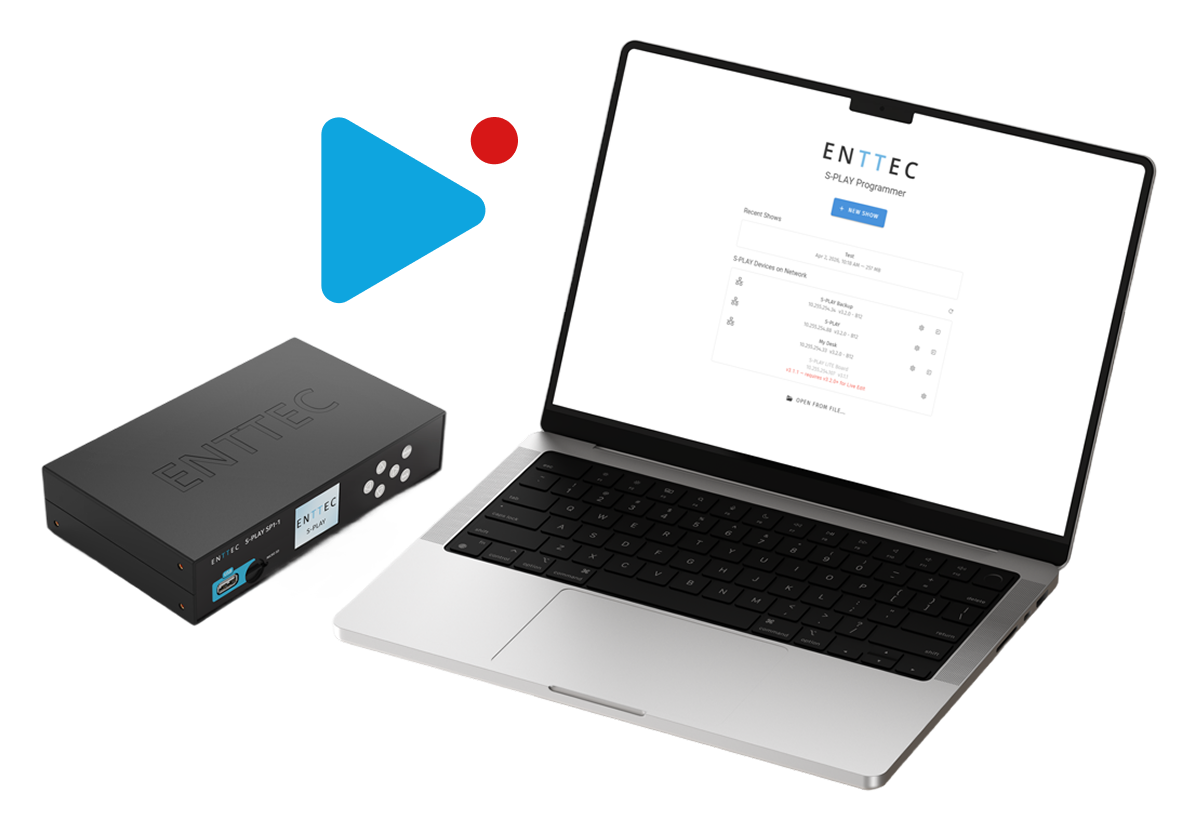
First, the hardware. The S-PLAY SP1-1 is ENTTEC’s standalone show controller — a compact, install-ready device that drives your lighting design on its own, with no computer attached at runtime. The Programmer is the free desktop tool you use to author those shows, then push them to one or many SP1-1s on your network.
Build your show directly in software — anywhere, without hardware connected. Bake hours of generative content in seconds with desktop-exclusive Scene Cues and Fixture Layouts.
Connect to your local network and Programmer auto-discovers up to 250 S-PLAY SP1-1 devices — deploy to one or all in a click, or pull a show off any device, edit, and redeploy. No more programming in third-party tools and recording back to the device in real time.
Requires S-PLAY SP1-1 firmware 3.2.1 or later.
Lighting control basics
What is lighting control software?
Lighting control software is a digital tool used to manage and control lighting systems for live events, theatre, architectural installations and more. It lets you create, program and execute lighting designs with precision — from simple sound-reactive shows to complex pixel-mapped installations spanning thousands of fixtures.
What is pixel mapping?
Pixel mapping is the process of plotting a design onto an array of connected lights so each individual light plays its part in the whole scene. Using mapping software, you create a scaled mock-up of your layout, then assign content — pixel by pixel, or by overlaying photos, artwork or video. Your finished design feeds straight from your computer to your installation, or transfers to a show controller for stand-alone playback.
See how designers have used ENTTEC software
Talk to a lighting expert
Not sure which software is right for your show, install or venue? Our team can help you spec the right combination of software and hardware.
Download EMU
EMU_Download
"*" indicates required fields
Download ELM
Oops! We could not locate your form.